Church Studio

Your service.
Everywhere.

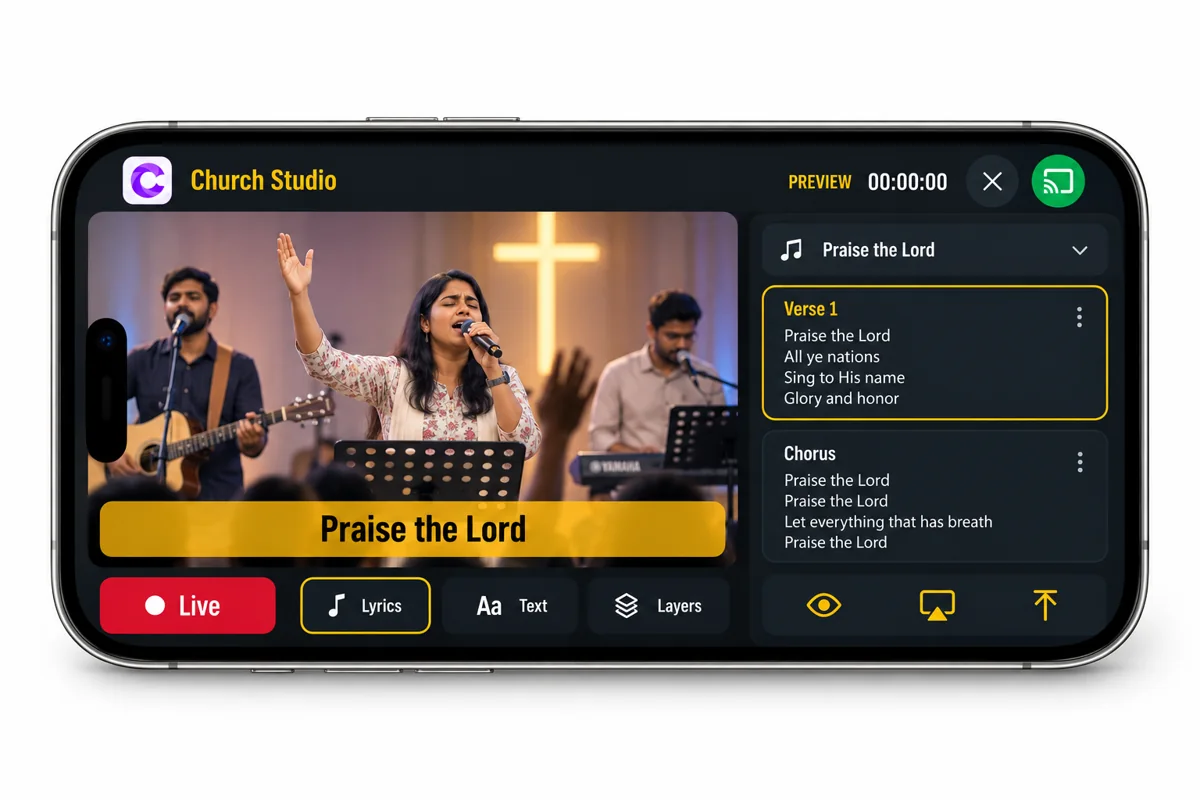
A professional church livestream studio. On your phone.

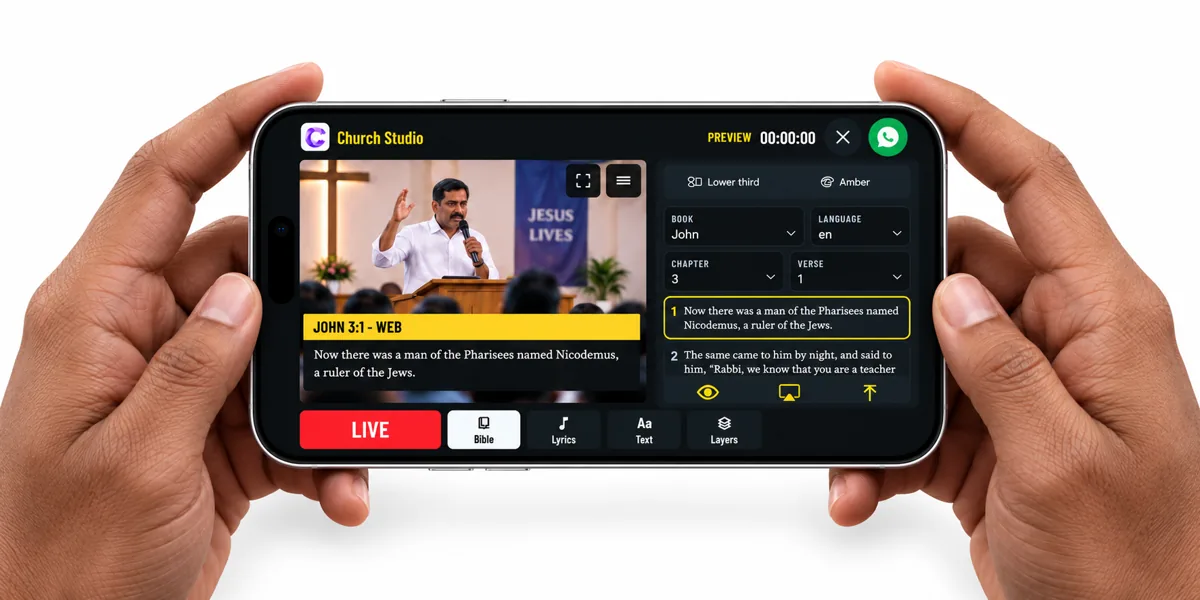
Church Studio on a landscape phone, with a sermon preview and Bible controls

Everything your service needs.

A simple, powerful studio for your church.

One service.
Multiple destinations.

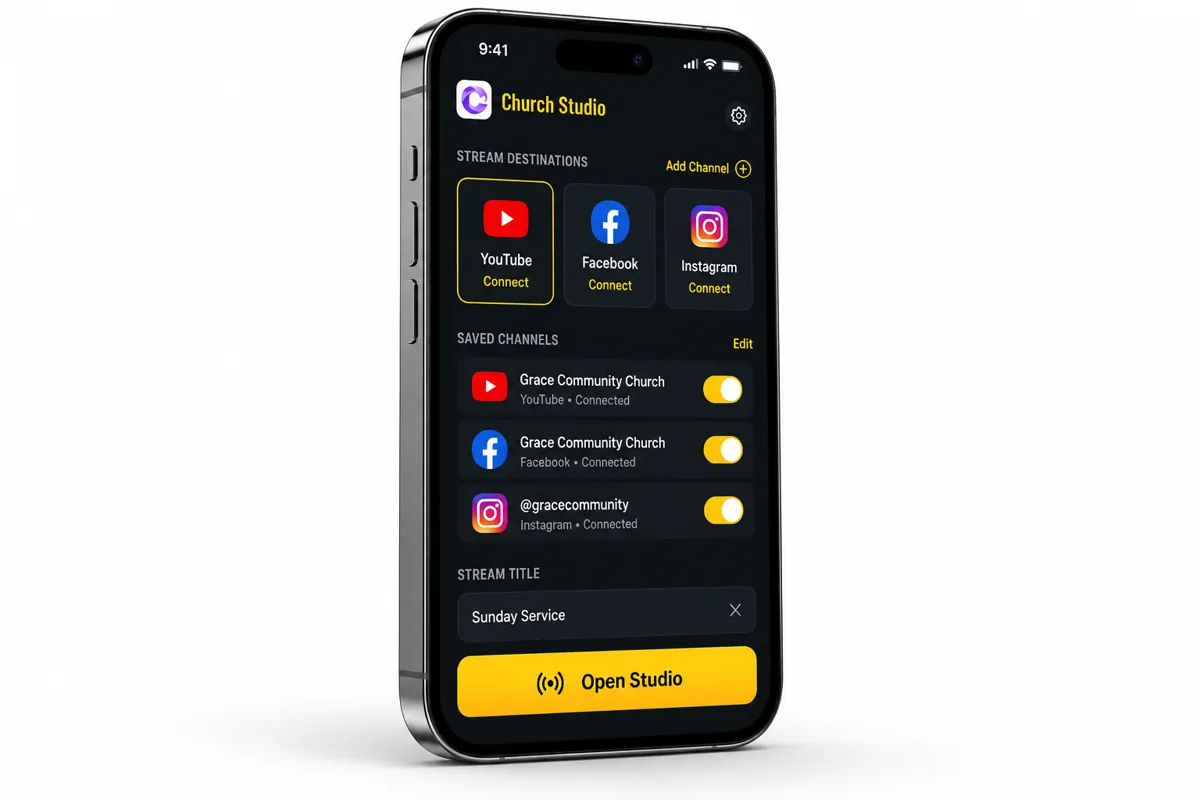
Take your service beyond the church walls. Save manual RTMP URLs and keys, switch between your channels, and stream to compatible destinations from your phone.

YouTubeFacebookInstagram

Multistreaming requires valid keys, platform eligibility and sufficient upload speed. Capacity depends on your phone and connection.

Church Studio channel and multistream destination setup
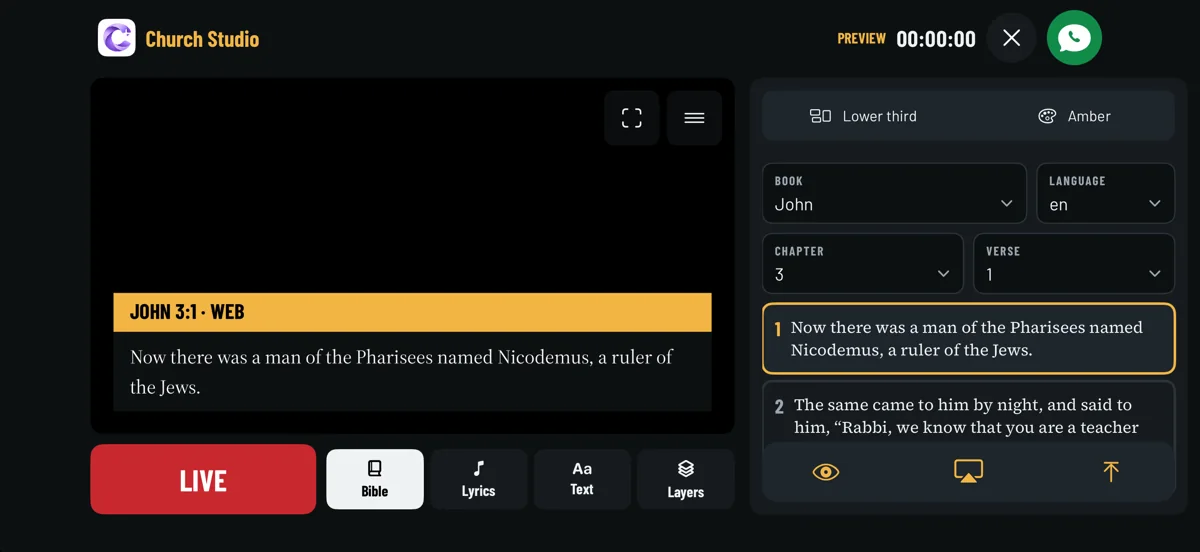
Actual Church Studio Bible selection and verse preview controls

Scripture,
ready when you are.

Select a book, chapter and verse in English or Telugu. Prepare the passage in your camera preview, then tap Cast when it is time to share it live.

Preview and live casting are separate controls. Available editions retain their required Bible credits.

Church Studio worship lyrics and song section controls

Lyrics for every moment.

Add a song title, choose its language, and save verses and choruses in sections. Select the next section before casting it into your service.

The shared song library shows the contributing church. Songs are reviewed before publication.
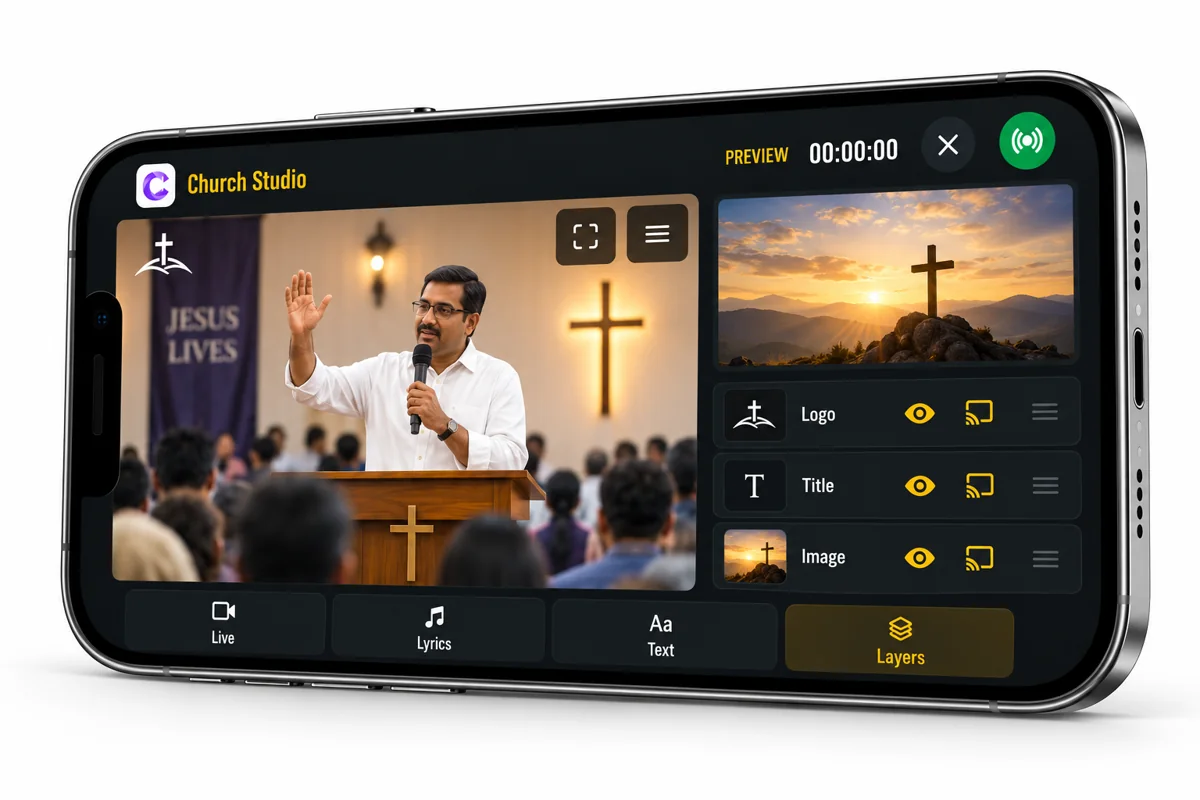
Church Studio image logo and title layers

Make it your church.

Add your logo and images from Photos or Files. Drag to position, pinch to resize, fit an image to the screen and arrange your layers. Prepare text overlays for announcements and titles.

Use Eye to preview a layer and Cast to put it live. Tap Cast again to remove it.

Prepared first.
Live when you are.

Connect your destination.

Add the platform URL and stream key. Keep multiple channel keys saved and select the one for your service.

Prepare your studio.

Choose Bible verses, lyrics, text and images. Flip or mirror the camera, mute audio and expand your preview.

Share your service.

Start your livestream and cast each prepared overlay at the right moment. Active casting is clearly marked.

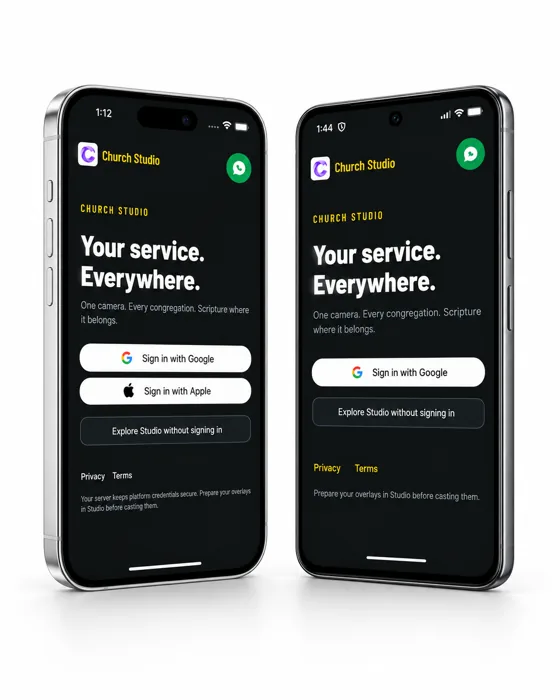
Church Studio login screens on iPhone and Android

Your next service
starts here.

Explore Church Studio with our introductory free trial. Prepare Scripture, worship lyrics and your church branding in one mobile studio.

Talk to us on WhatsApp

Have a question? We’re happy to help you get started.

What do I need to start streaming?

A compatible phone, camera and microphone permissions, a valid platform RTMP URL and key, and a stable internet connection with enough upload bandwidth. Manual setup instructions are included in the app.

Can I preview before casting?

Yes. Prepare Bible verses, lyrics, text and images locally before showing them on your livestream. Casting is a toggle: tap to put content live and tap again to stop.

How do I get the app and free trial?

Contact us on WhatsApp for current release and trial access details. The iOS and Android apps are undergoing store review. Automatic platform connections depend on provider approvals and quota.